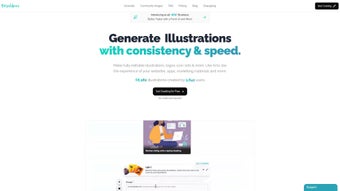

Download Make Illustrations – AI‑Powered Vector Design Tool for Fast, Free, and Secure Creative Work
Introduction
In today’s hyper‑visual digital landscape, designers, marketers, and small‑business owners constantly hunt for tools that can turn ideas into polished graphics without draining time or budget. Make Illustrations answers that call with a browser‑based, AI‑driven workflow that converts plain‑text prompts into fully editable vector illustrations in seconds. The platform blends the speed of generative AI with a hands‑on vector editor, allowing users to fine‑tune colors, shapes, and layers without ever leaving their browser.
Whether you need a sleek icon set for a SaaS dashboard, a playful mascot for a social media campaign, or a series of custom infographics for a client presentation, Make Illustrations offers a versatile canvas that adapts to any creative brief. Its free tier provides up to 20 illustrations per month, making it an attractive option for freelancers and startups, while paid plans unlock higher limits, priority rendering, and exclusive style packs. Security is baked into the architecture: all prompts and generated assets are encrypted in transit and at rest, and the service adheres to a strict privacy‑first policy that never sells user data.
Regular updates keep the AI models sharp, ensuring style fidelity and color accuracy improve over time. In short, Make Illustrations promises a seamless bridge between concept and production, delivering professional‑grade vectors without the steep learning curve of traditional desktop suites.
Key Features and Capabilities
- AI‑Driven Prompt Generation: Convert simple textual descriptions into detailed vector illustrations in under a minute.
- Multiple Illustration Styles: Choose from Notion, Structured, Humanist, and emerging style packs to match brand identity.
- Integrated Vector Editor: Adjust hues with a live picker, edit individual paths, add or remove layers, and apply gradients without external software.
- Export Flexibility: Download assets as SVG for infinite scalability or PNG for immediate raster use.
- Personal Library & Versioning: Securely store creations, revisit past prompts, and track revisions for collaborative projects.
- Cross‑Platform Accessibility: Runs in any modern browser on Windows, macOS, Linux, Android, and iOS—no installations required.
- Generous Free Tier & Transparent Pricing: 20 illustrations per month at no cost; premium plans start at $9.99/month for higher limits and priority AI models.
- Privacy‑Centric Architecture: End‑to‑end encryption ensures prompts and artwork remain confidential.
- Continuous AI Model Updates: Regular improvements boost style fidelity, color accuracy, and detail rendering.
- Community Templates & Inspiration Gallery: Browse pre‑made templates for quick customization or spark new ideas.
Installation, Compatibility, and Step‑by‑Step Usage Guide
Make Illustrations is a cloud‑native web app, so there’s no traditional installer to download. All you need is a modern browser with WebGL and HTML5 Canvas support. Follow the workflow below to get up and running in minutes:
- Navigate to makeillustrations.com and click “Sign Up”. Register via email, Google, or Apple ID.
- Confirm your email address (if required) and log into the dashboard.
- Click “Create New Illustration”. In the prompt field, type a concise description, e.g., “minimalist finance icon in Humanist style”.
- Select a style from the dropdown, optionally set a color palette, aspect ratio, and detail level.
- Press “Generate”. The AI engine processes the request on remote servers and returns three variations within 30‑60 seconds.
- Choose a variation and open the built‑in vector editor. Here you can:
- Swap colors using the live picker.
- Edit individual vector paths with node‑level precision.
- Add or delete layers, apply gradients, and remove backgrounds with a single click.
- Preview the design at 100 % or zoom out for overall composition checks.
- When satisfied, click “Save to Library” for future edits or “Export”. Choose SVG for scalable graphics or PNG for immediate raster use, then download to your device.
- For recurring projects, duplicate saved illustrations, tweak prompts, and maintain visual consistency across campaigns.
Compatibility: Because the application runs entirely in the browser, it works on Windows 10/11, macOS Monterey and later, most Linux distributions, Android 8+ devices, and iOS 13+. No plugins, extensions, or additional downloads are needed, making it ideal for remote teams that switch between desktops, laptops, tablets, and smartphones throughout the day.
Pros and Cons – A Balanced Evaluation
Pros
- Instant AI generation slashes design time dramatically.
- Wide variety of styles fits diverse brand personalities.
- Integrated vector editor eliminates the need for separate software.
- Generous free tier provides real value for occasional users.
- Privacy‑first infrastructure protects user data and prompts.
- SVG/PNG export ensures seamless integration with most design pipelines.
- Cross‑platform accessibility via any modern browser.
- Regular model updates keep output quality on the cutting edge.
- Library and versioning support collaborative workflows.
- Transparent pricing with no hidden fees.
Cons
- Free tier caps at 20 illustrations per month, which may limit power users.
- Complex or niche prompts sometimes need several refinements to achieve the desired result.
- Editor, while robust, lacks advanced features found in desktop‑grade tools (e.g., custom brush libraries, advanced Boolean operations).
- Performance hinges on internet connectivity; slow connections can increase generation latency.
- No offline mode yet—everything is cloud‑based.
Conclusion – Should You Download Make Illustrations?
If you need a fast, affordable, and secure way to create custom vector graphics without mastering complex desktop software, Make Illustrations is a standout option. Its AI‑driven prompt engine cuts concept‑to‑asset time to seconds, while the built‑in editor gives you enough control to perfect every detail. The free tier is generous enough for freelancers and small teams, and the paid plans scale smoothly for larger organizations.
Although it doesn’t replace every feature of heavyweight suites like Adobe Illustrator, the trade‑off in speed, accessibility, and privacy makes it ideal for most modern design workflows. Ready to boost your visual production? Download Make Illustrations now and start generating professional‑grade illustrations in seconds.
Frequently Asked Questions
Is Make Illustrations completely free to use?
The platform offers a free tier that allows up to 20 AI‑generated illustrations per month, which is sufficient for most occasional users. Premium plans start at $9.99 per month and provide higher limits, priority rendering, and exclusive style packs.
Can I export illustrations in formats other than SVG and PNG?
Currently, SVG and PNG are the primary export options because they cover both scalable vector and raster needs. The development roadmap includes support for PDF and EPS in a future update.
How does Make Illustrations protect my data and prompts?
All user data is encrypted in transit (TLS 1.3) and at rest. Prompts and generated images are stored in a private workspace that only the account owner can access. The service does not sell or share data with third‑party advertisers.
Do I need a powerful computer to run the editor?
Because all heavy AI processing occurs on the server side, the client only needs a modern browser with WebGL support. Even modest laptops or tablets can handle the editor smoothly.
Is there an offline mode for Make Illustrations?
At present, the service is fully cloud‑based, which means an internet connection is required for generation and saving. An offline mode is being explored for future releases.



.png)